Features of P2ware Planner Suite 2008
P2ware Planner Suite 2008 combines functionalities available in a variety of applications, often incompatible with each other. This allows planners, project managers and directors of programs to avoid wasting time on integration of information stored and processed using different tools and to focus on effective planning and execution of plans.
Advanced planning tools
P2ware Planner Suite allows to manage programs, projects and tasks using the latest management techniques and methods. This is one of very few programs available on the market, which allows the full use of Product Based Planning advantages and reduces planning time even by more than 90%.
By using a possibility of multi-level undo-redo function, ability to register plan properties in selected moments (snapshots) and many forms of visualization of plan objects properties changes, one can easily deal with different scenarios for the implementation of the plan by what-if analysis.
Tools to manage programs and projects available in P2ware Planner Suite 2008:
- Product Based Planning:
- Product Breakdown Structure (PBS)
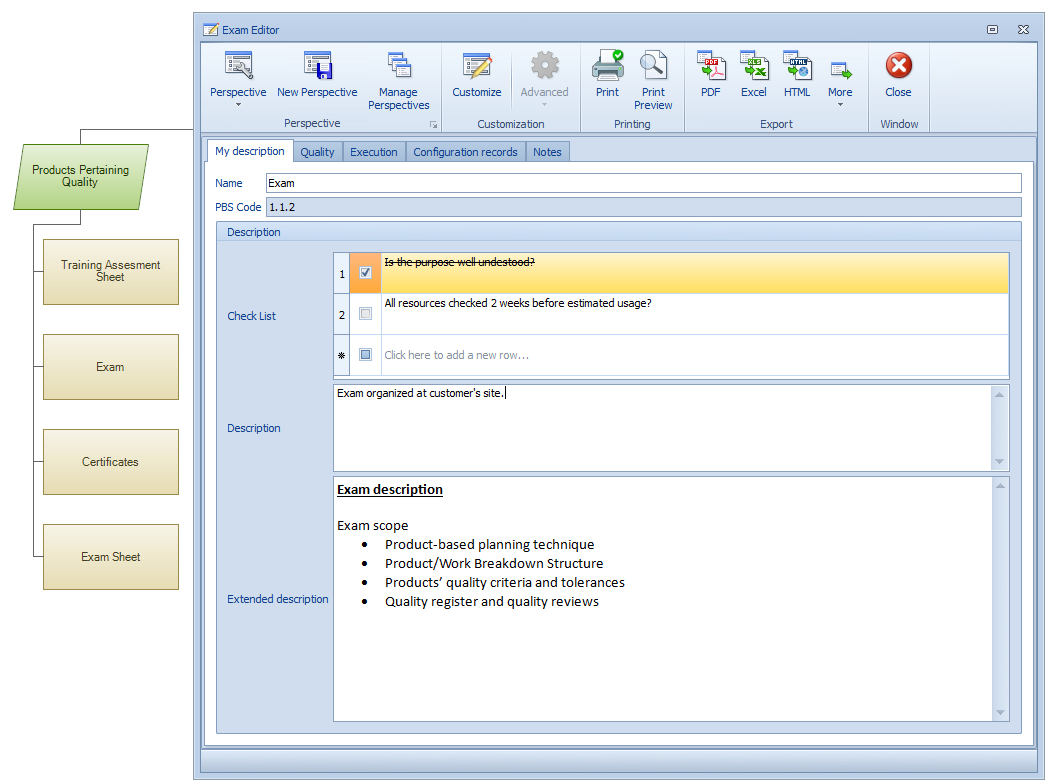
- Structured Product Descriptions
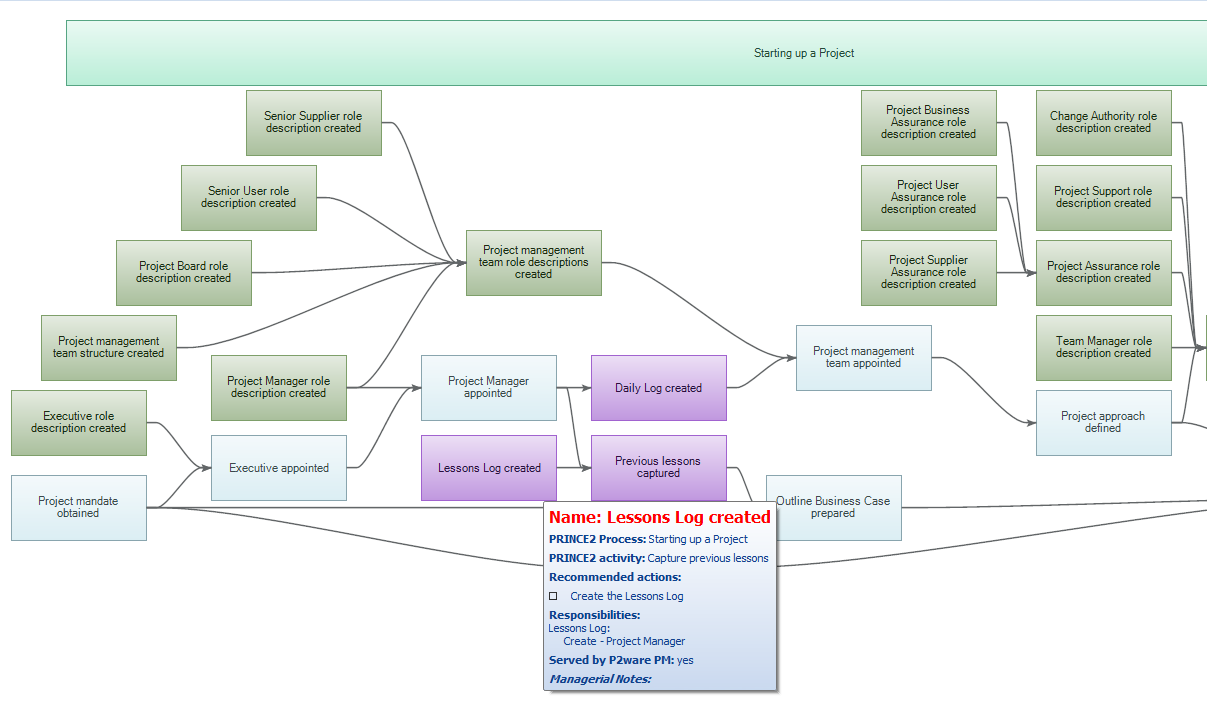
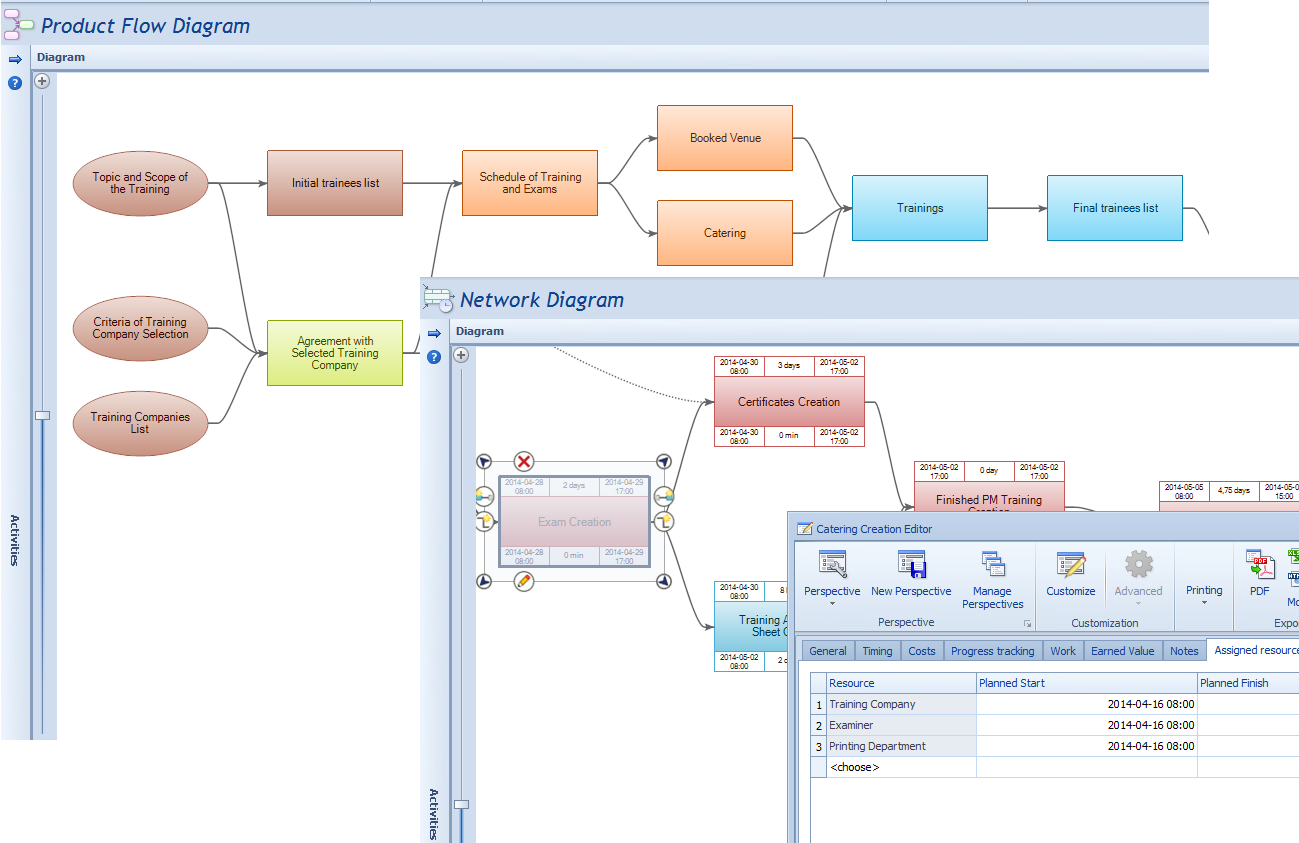
- Product Flow Diagram (PFD)
- Special treatment of integration products and their components
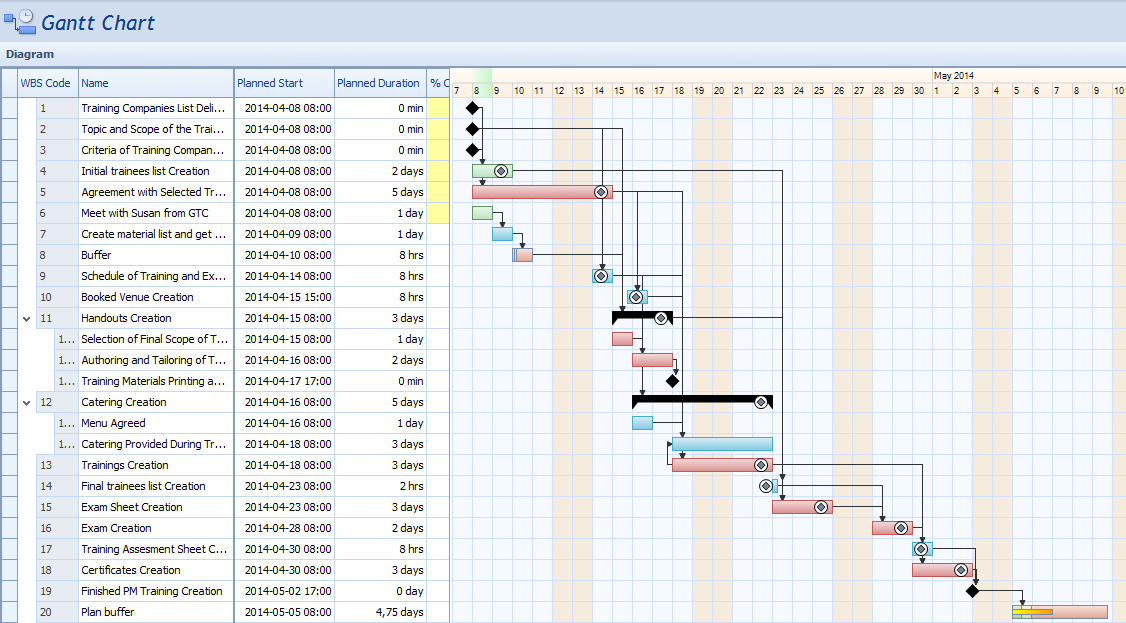
- Automatically constructed Network Diagram and Gantt chart
- Activity deadlines set in terms of their links and imposed constraints
- Quality Log
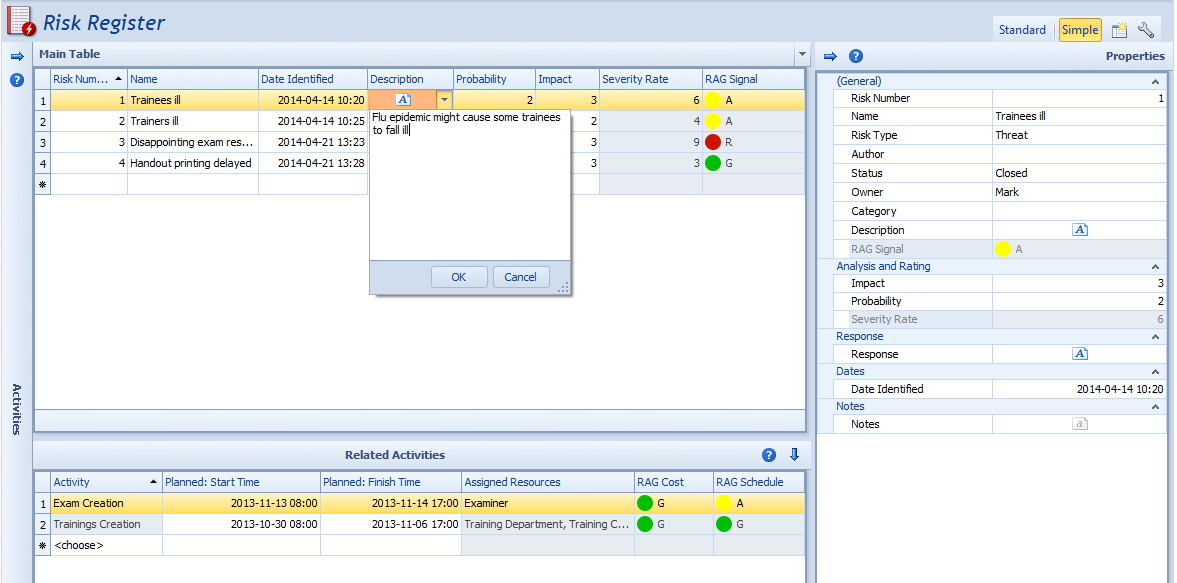
- Risk Log
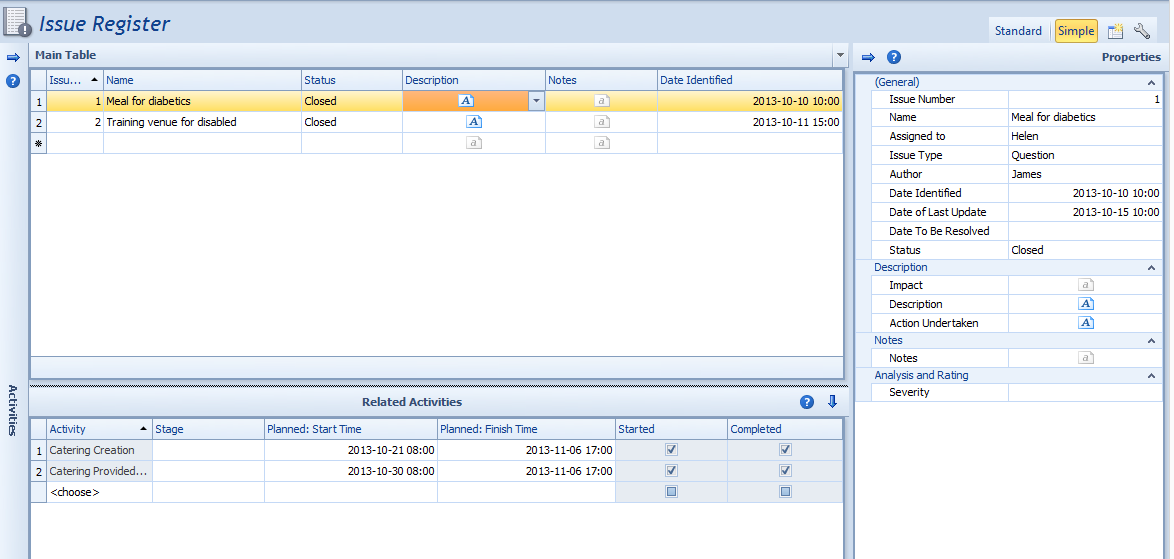
- Issue Log
- Daily Log
- Critical Path
- Critical Chain
- Earned Value
- Activities with breaks
- Plan Buffer and Feeding Buffers
- Work Packages
- Checkpoints
- Checkpoint reports
- Snapshots - records of selected plan properties in selected moments
- Taking into account for other plans' products, activities and resources
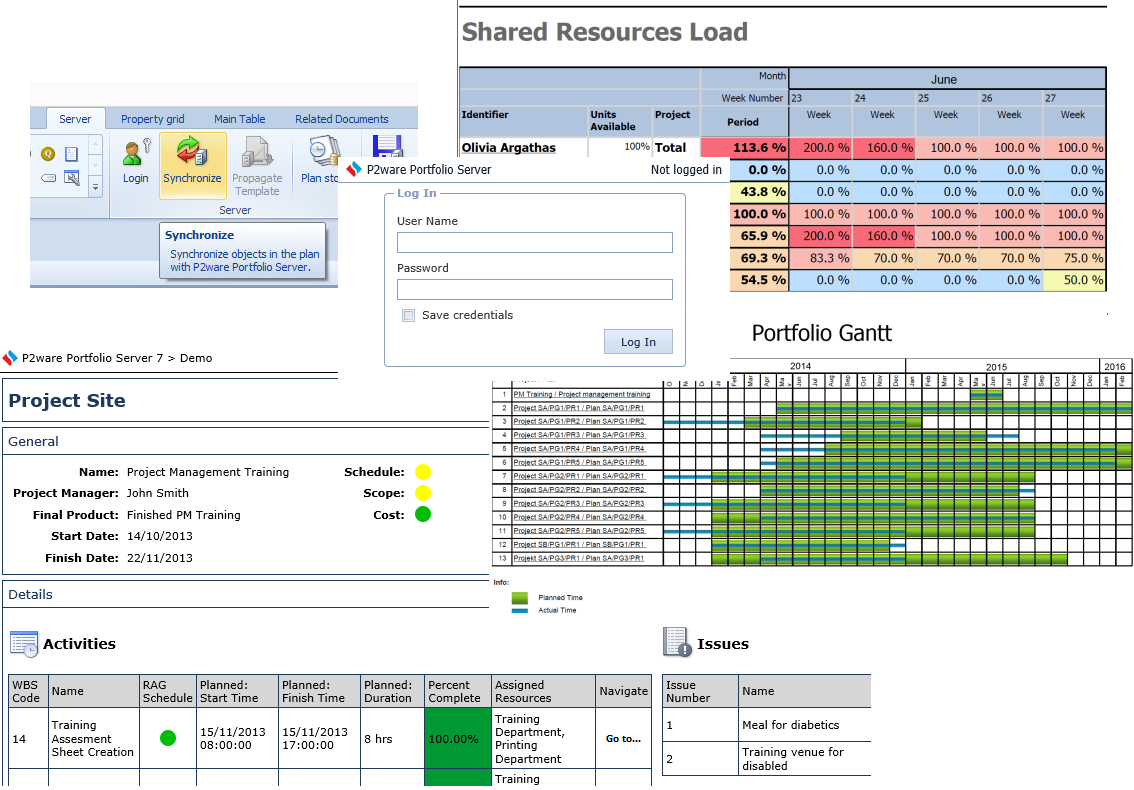
- Publishing plans on server
- Synchronizing local plans with their server versions
- Sharing resources with other plans
- Central management of resources
- Integrated logs for projects within programmes
Presentation and visualisation of plan's objects and their properties
In order to facilitate users work in P2ware Planner Suite 2008 several convenient forms of visualization plan's objects and their properties are available:
- Diagrams and charts
- Tree structures
- Editors for structured object description
- Tabular compilations with a possibility of filtering and grouping objects
- Graphic elements, such as RAG signal lights
Accurate and precise charts
Proper control of a plan is not possible without proper visualization. P2ware Planner Suite 2008 fulfils these needs through a set of convenient, transparent and functional charts, allowing for review of the plan and monitoring its implementation on both the micro level (days, weeks), as well as macro-level - the entire plan and single stages.
Diagrams and charts used in P2ware Planner Suite 2008:
- Product Breakdown Structure
- Product Flow Diagram
- Network Diagram
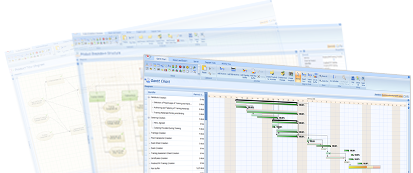
- Gantt chart
- Schedule
- Resource Load chart
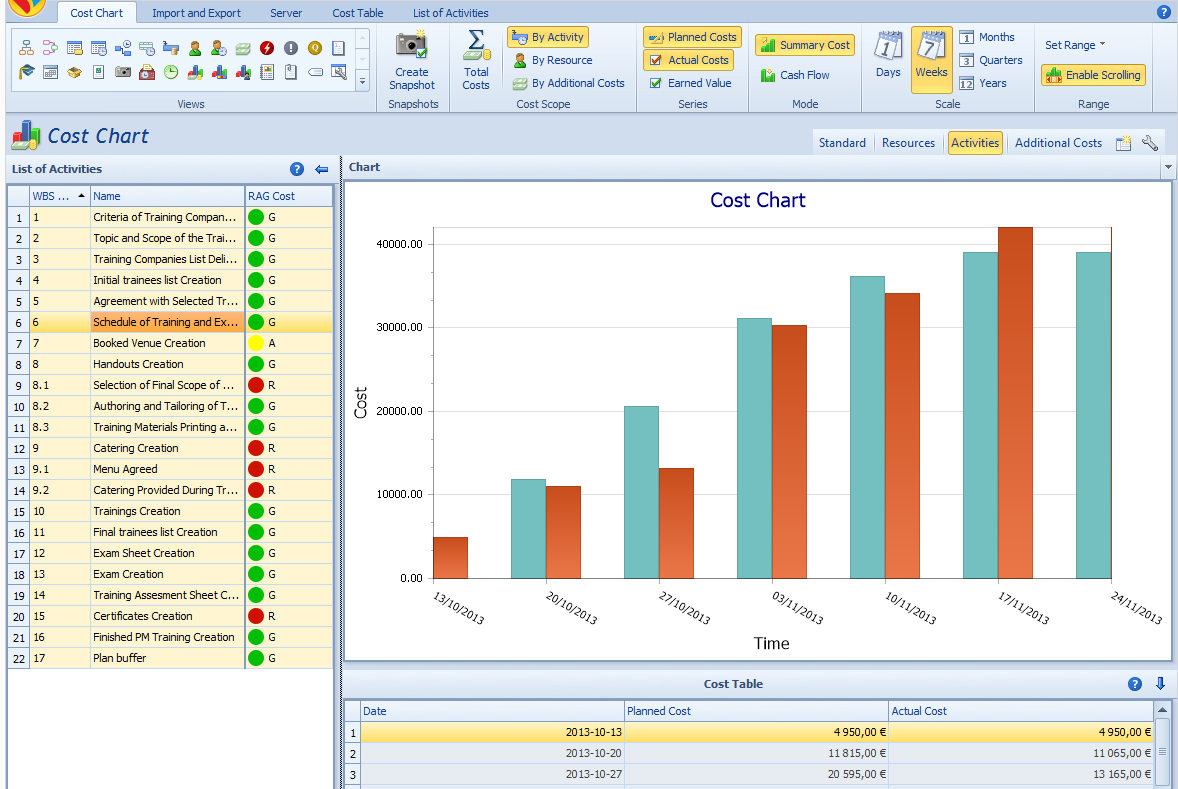
- Cost chart
- Activity Buffer chart
- Object state graphical indicators
Tree structures
In P2ware Planner Suite 2008 hierarchical relationship of objects is illustrated on tree structures:
- Product structure
- Work Breakdown Structure (Activities Structure)
Support tools
While working on a project, one is often faced with a number of recurrent operations. Also, a number of plan parts, such as groupings of products, sets of dependent activities, calendars, reports, work week templates - can be used in other projects, facilitating the work and significantly reducing a time required for planning and control of implementation of plans. Therefore, in P2ware Planner Suite 2008 many tools are available to help project team members with their daily work.
Support tools available in P2ware Planner Suite 2008:
- Plan templates created according to company's standards
- Definable work week templates
- Resource load levelling
- Plan parts library
- Customizable calendars for a project and individual resources and activities
- Comments attached to objects in diagrams
- Planner's own tasks notebook
- Filters for data presented in tables and reports
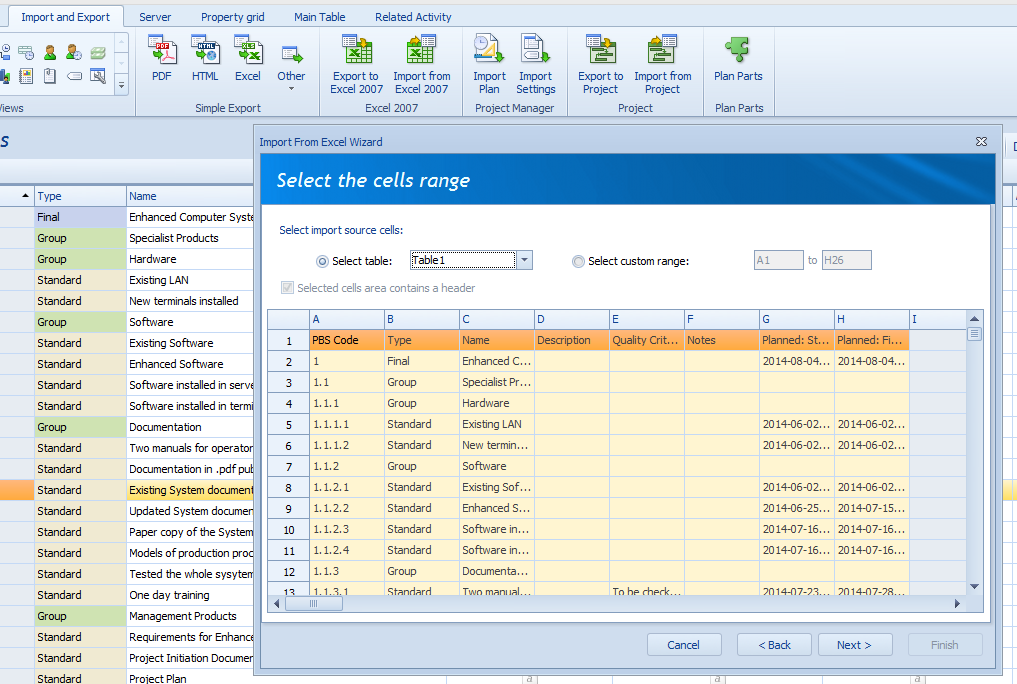
- Importing of the whole plan or its information structure only
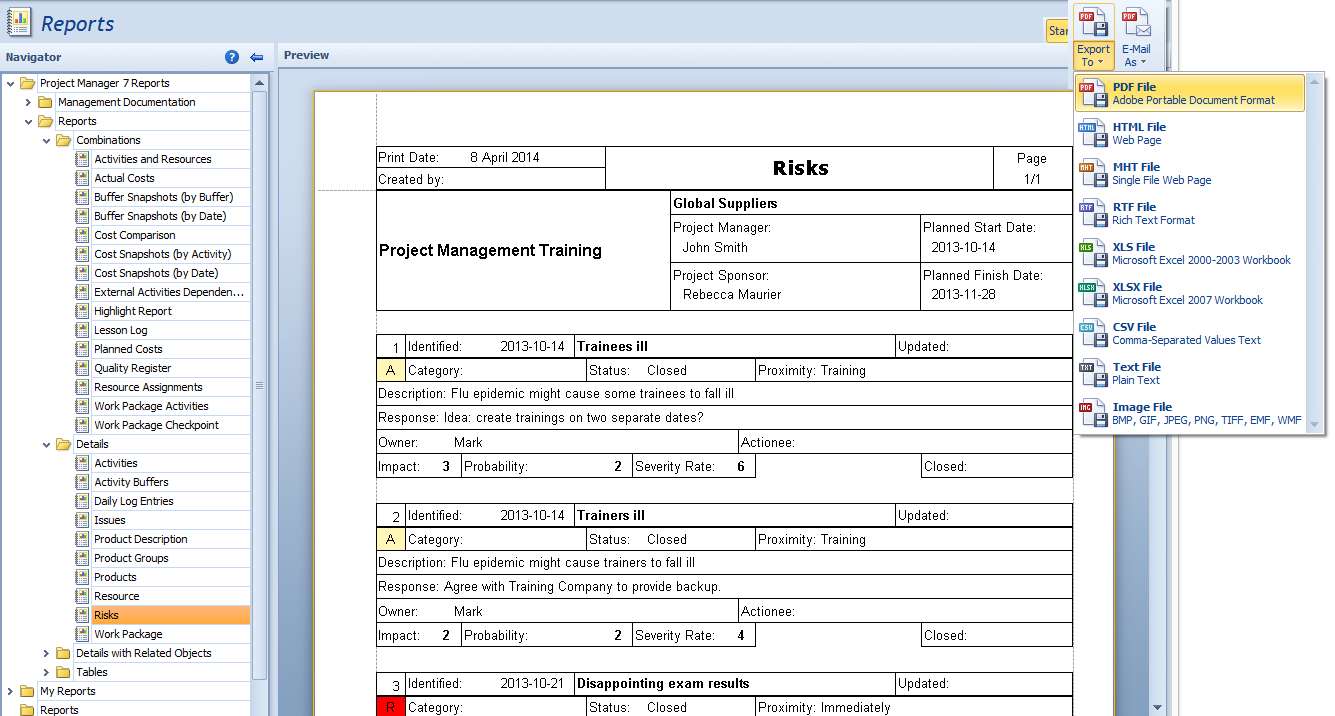
- Automatically generated reports
- Distribution of reports as attachments to e-mails
- Customizable report templates
- Replications between servers
- Object change log on the server
- Synchronization of different plans
- Server daily log (problems and change log)
Effective collaboration
Nowadays plans are rarely created by only one person. Even in a well-computerized companies exchange of files between those involved in planning often leads to misunderstandings, conflicts or overwriting of someone else's work. P2ware Planner Suite 2008 solves this problem by introducing P2ware Planner Server, which allows you to:
- Centrally manage projects and programs
- Manage users privileges and roles levels
- Control an access to plans or their parts
- Define limited views for individual users or user groups
- Track changes
- Block the ability to modify the plan
- Joint work of many people on one plan
- Protection against accidental overwriting of changes introduced by other people
All of that, with the Internet allow many people to work on a plan without conflicts, even if they are located at distant places of the world, without the need for additional coordination of work on a plan.
Ergonomic user interace
The user sees the computer program through its interface. Therefore, P2ware Planner Suite interface has been prepared so as to be user friendly and to satisfy the needs of the most common planner's needs without having to look for an aid or a manual. Based on the proven Microsoft Office 2007 interface, the P2ware Planner interface ensures:
- Simultaneous editing of many objects' properties
- Ability to define user own perspective views
- Advanced tabular functions (grouping, filtering, selecting visible properties, perspectives)
- Plan preview and tooltips on diagrams
- Tree structures of products and activities
- Automatic spelling check
A possibility of adapting the software to organization standards
Most organizations have their own procedures, standards and needs regarding preparation and use of plans. While creating P2ware Planner Suite 2008 it was assumed that the software should not hamper working methods, a way of describing a plan or its objects characteristics. Therefore, using P2ware Planner Developer there is a possibility of adjusting the software to suit your individual needs, including:
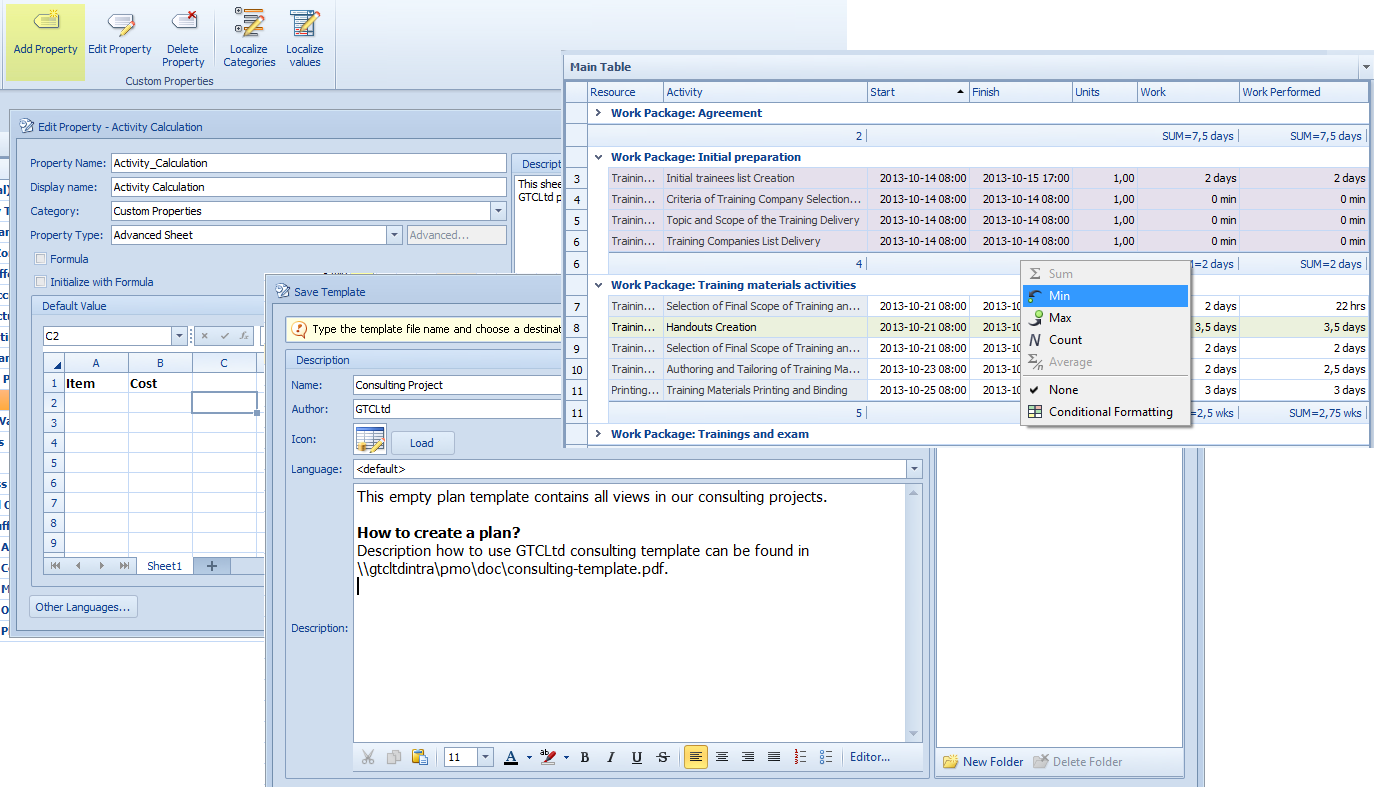
- Defining users own object properties of different types
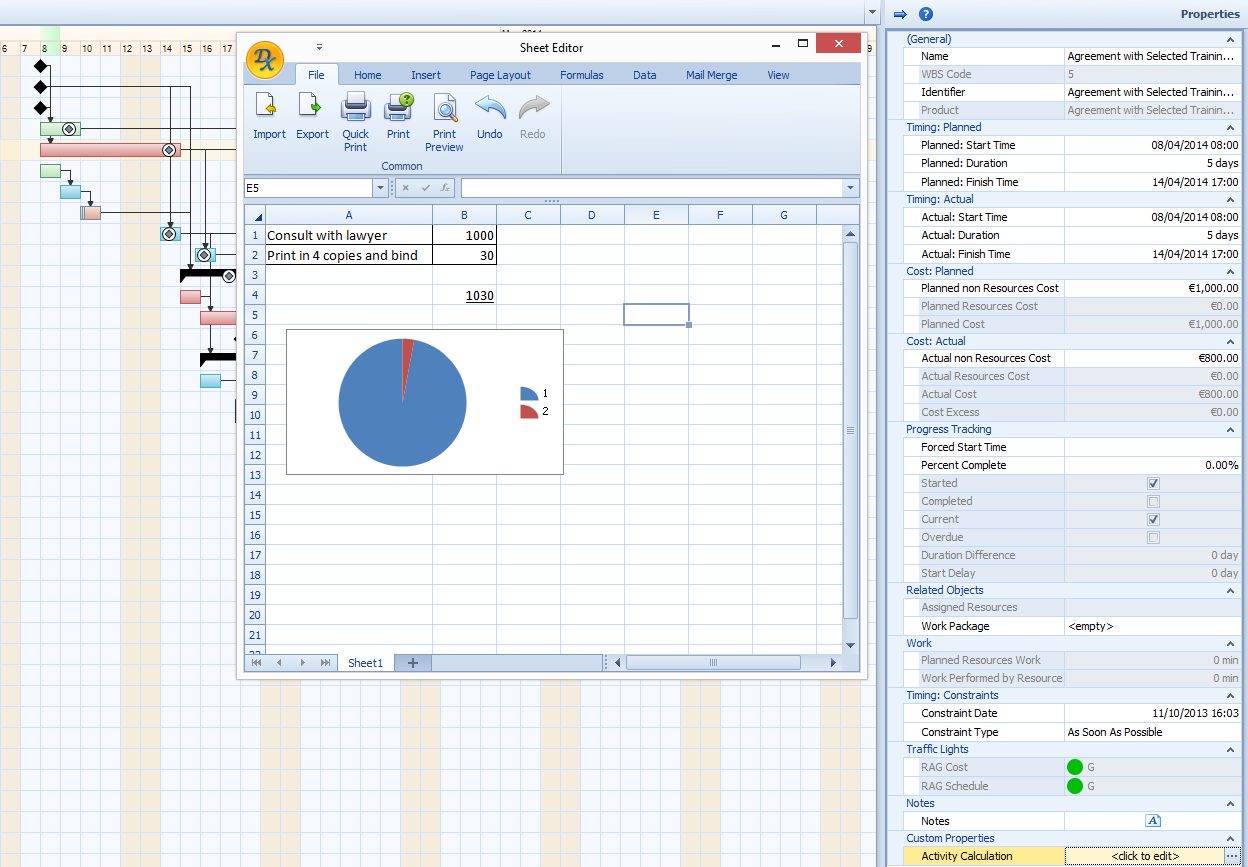
- Defining formulas that calculate object properties using mathematical and logical operations
- Defining users own perspectives for plan objects editors
- An ability to attach images to properties of plan objects
Cooperation with other programs
We fully understand that P2ware Planner Suite 2008 is not the only program that our clients use. Therefore we provided a number of tools for easy import and export from and to other software packages. While working on plans data from programs such as Microsoft Office or Microsoft Project can be used.
P2ware Planner Suite 2008 makes possible:
- Export of tables, trees, diagrams and charts into many popular formats
- Attaching external documents to a plan
- Two-way integration with Microsoft® Excel® and Microsoft® Project®
- Export of calendar data into iCalendar format
On a basis of individual requirements and agreements with customers, P2ware Planner Suite 2008 can be integrated with Microsoft® SharePoint® or selected ERP systems.
Features list, depending on version:
P2ware Planner Standard
- Product Based Planning
- Product Breakdown Structure
- Product Flow Diagram
- Product Descriptions
- Gant Chart
- Ability to define breaks in activities
- Activities Network Diagram
- Critical Path method
- Critical Chain method
- Resource Load Chart
- Risk Log
- Issue Log
- Cost Chart
- Plan buffer and feeding buffers
- Earned Value method
- Levelling Resource Load
- Export of tables, trees, diagrams and charts in popular file formats
- Automatic spelling check
- Controlling project implementation with work packages and checkpoints
- Managing Plan Parts Library
- Automatic setting of activity successors based on Product Flow Diagram
- Object state graphical indicators
- Customizable Work Week Templates
- Customizable perspective views
- Attaching external documents to plan
- Calculating of activity start and end dates based on their dependencies
- Defining calendars for the whole project and for individual tasks and resources
- Displaying plan's activities in the form of schedule
- Comments added on diagrams
- Planners own tasks notebook
- Import of the whole plan or information structure only
- Preview and tooltips on diagrams
- Possibility of filtering data to reports
- Products and activities tree structures
- Advanced tabular functions (groups, filtering, selecting columns to be displayed, perspectives)
- Simultaneous edition of many various objects
- Creating plan templates
P2ware Planner Professional (in addition to P2ware Planner Standard)
- Quality Log
- Activities Buffer chart
- Daily Log
- Two-way integration with Microsoft® Excel® and Microsoft® Project
- Snapshots (historical recordings)
- Report editor
- Defining report templates
- Possibility of integration with P2ware Planner Server
P2ware Planner Server + Professional (in addition)
- Limited views for individual users and user groups
- Role based access control
- Cooperation with office application like Calendar (iCalendar)
- Integrated logs for projects
- Customizable user home pages
- Replications between servers
- Change log for every plan object
- Collaboration
- Synchronisation of local plan version with server version
- Sharing plan objects with other plans
- Sharing resource list across a whole organisation
- Synchronisation of resources load across plans
- External Products
- External Activities
- Integration with Microsoft® SharePoint®
- Integration with ERP systems (on individual clients request)
- Central resource management on the server
- Server Daily Log (problems and changes)
P2ware Planner Developer (in addition)
- Defining new properties of already existing objects
- Defining mathematical formulas for plan objects properties
- Defining new perspectives for plan objects editors
- Possibility of defining properties in an image format
P2ware Planner feature matrix
| Features | Standard | Professional | Developer |
| Activities | X | X | X |
| Work Breakdown Structure | X | X | X |
| Gantt chart | X | X | X |
| Activity Network | X | X | X |
| Project resources | X | X | X |
| Work Week Templates | X | X | X |
| Schedules | X | X | X |
| Individual Resource and Activity Calendars | X | X | X |
| Resource Load diagram | X | X | X |
| Free Selection of Data Table Column | X | X | X |
| Creating Perspectives for Main View | X | X | X |
| Selection of Information for Diagram Object's info | X | X | X |
| Critical Chain (buffers) | X | X | X |
| Discontinued Activities | X | X | X |
| Levelling Resource Load | X | X | X |
| PERT | X | X | X |
| Critical Path | X | X | X |
| Feeding Buffers | X | X | X |
| Project Buffer | X | X | X |
| Import/Export to/from MS Project | X | X | X |
| Product Based Planning | X | X | X |
| Product Breakdown Structure | X | X | X |
| Product Flow Diagram | X | X | X |
| Product Descriptions | X | X | X |
| Risk Log | X | X | X |
| Issue Log | X | X | X |
| Work Packages | X | X | X |
| Attachments | X | X | X |
| Links | X | X | X |
| Checkpoints | X | X | X |
| Cost Chart | X | X | X |
| Plan Parts | X | X | X |
| Quality Log | - | X | X |
| Buffer Load Charts | - | X | X |
| Daily Log | - | X | X |
| Snapshots | - | X | X |
| Custom Report Designer | - | X | X |
| External Plan dependencies on Products | - | * | * |
| External Plan dependencies on Activities | - | * | * |
| Company Resources Management | - | * | * |
| Plan Objects’ User Defined Properties | - | - | X |
| Creating Perspectives for Objects Editors | - | - | X |
| Adding Comments to Diagrams | X | X | X |
| Plans Synchronization | - | * | * |
| Resources Synchronization | - | * | * |
Key: Green - product based planning features, yellow - logs, * - X with P2ware Planner Server